Now through October 31, we're waiving application fees for all domestic freshman and transfer applicants!
*Common app code: Central27
Book Individual and Group Study Rooms at CMU Libraries
Now you can reserve a space to study at the library on your own or with a group.
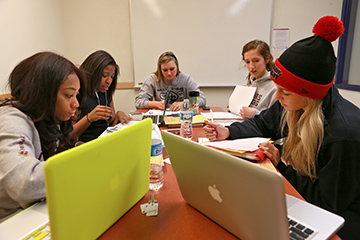
Use the simple steps below to book a study space.
To schedule a room:
- Visit library.cmich.edu/StudyRoom on a computer or mobile device.
- Filter and select a room type.
- Choose a green square to determine your start time.
- Select an end time from the drop-down menu.
You will receive a booking reminder email. Rooms can be reserved for 1-3 hours per day, and reservations can be made up to 14 days in advance.
You must check in to the room within 15 minutes of the start time of your reservation, or your reservation will be canceled, and the room will be made available to others.
To check into a room:
Step 1: Scan the QR code in the room OR select the link in your reminder email.
Step 2: Enter the code provided in the reminder email.
We ask users of this service to be courteous to those who have reserved the room before and after you.
Anyone who needs assistance with their reservation can visit the Library Services Desk located on the 2nd floor of Park Library.
Related News


Why are there no grayling in Grayling?
January 21, 2026
Adobe Digital Lounge adds new tools for creativity
September 23, 2025
Park Library powers business student success
September 4, 2025